Lenses
Lenses are a saved view that captures how you want to look at a particular kind of data.
Think of lenses like a saved search or a bookmark. Instead of re-entering filters, sort order and table layout every time you open the Resources page, you pick a lens and that view is restored.
Lenses are useful when you return to the same view often, or when your team should start from the same filters and layout. Sharing a lens enables everyone to troubleshoots with the same starting point.
A lens only narrows what you already have permission to see. It does not grant access to resources you could not view otherwise.
What is a lens
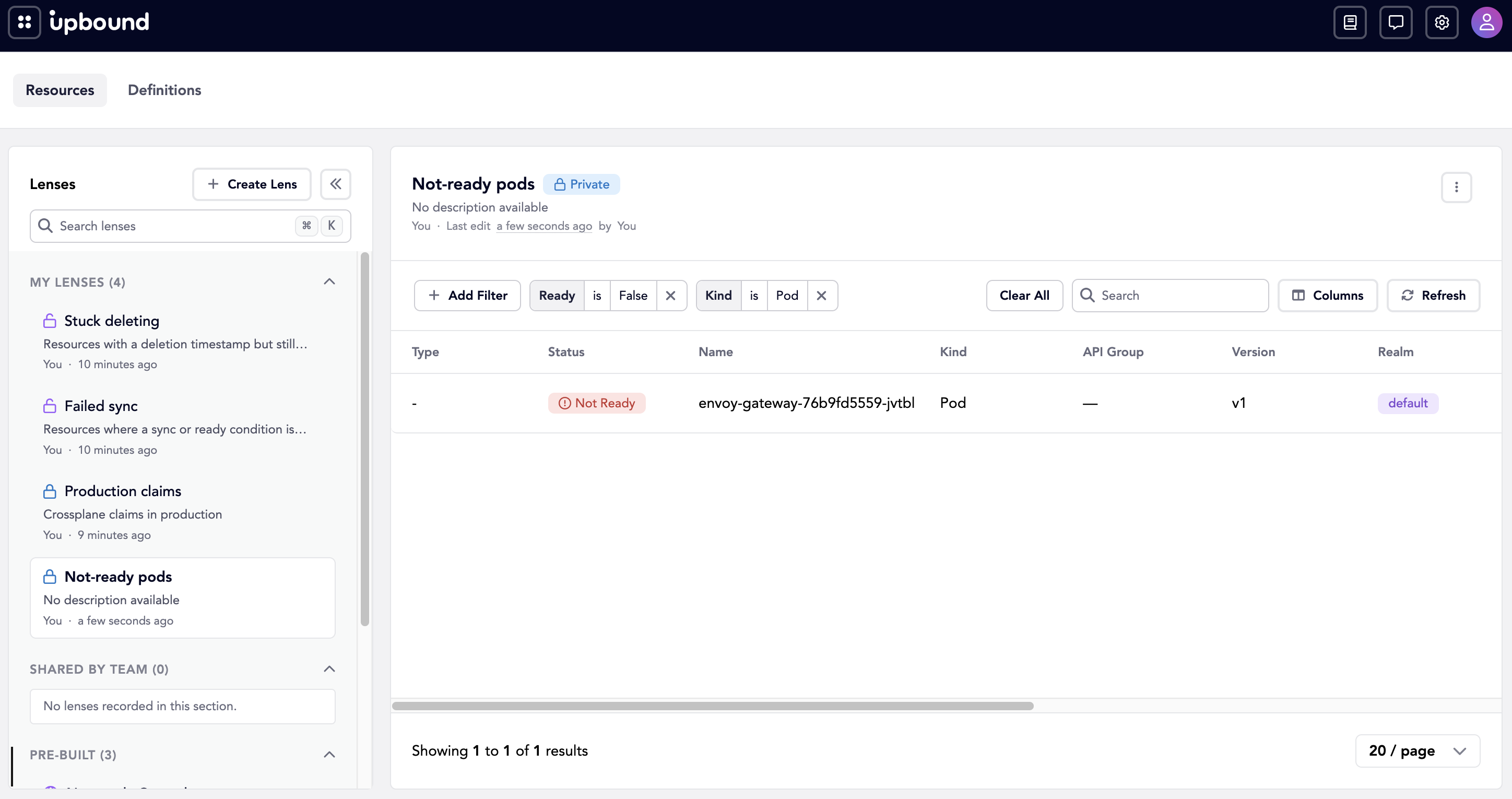
A lens is a saved view of your data. That means Kubernetes objects collected from your control planes filtered, sorted, and displayed in your preferred way. For example, A lens named "Not ready pods" might define a filter for "Pod objects whose Ready condition is false", a sorting of "newest first", and a collection of columns.
When you troubleshoot the same problem often, a lens saves you from rebuilding the same filter every time. If you find a useful way to look at your resources, you can share that lens with your team so everyone starts from the same view instead of rediscovering it on their own.
Who can see and change a lens
Lenses can be configured with different visibilities:
- A private lens is visible only to you. You can open it, change it, and delete it.
- A shared lens is visible to everyone in Hub. Anyone can select it and use it, but only the person who created it can edit or remove it.
- A built-in lens, such as the Upbound presets that ship with Hub, is visible to everyone and cannot be changed or removed by any user.